
Teacher Tips
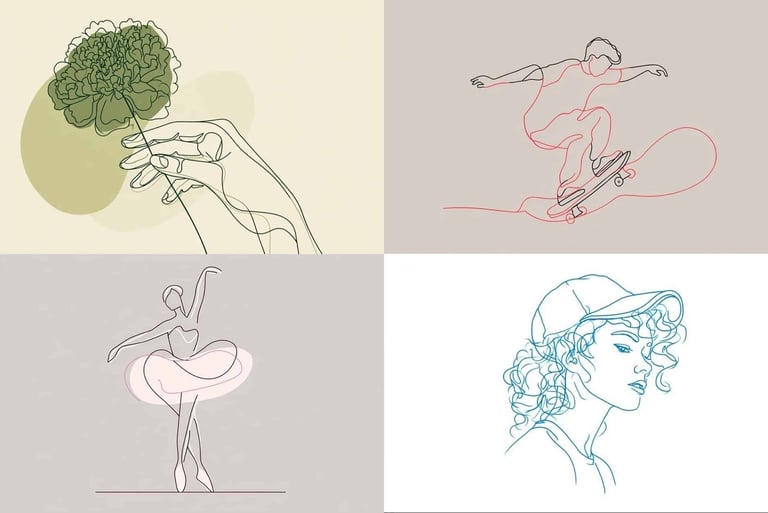
“in a clean 2D flat vector style” = Controls the art style. It keeps the image flat, modern, and graphic.
“Use [COLOR] outline only” and “on a [BACKGROUND COLOR] background” = Controls the line and background colors and prevents extra colors from appearing.
“Keep the image simple, modern, and easy for students to understand” = Controls the teaching purpose. The image should be clear, not decorative clutter.
“Use clean curves, simplified shapes, and minimal details” = Controls the level of detail. It tells the AI not to overdraw the image.
“Do not add shadows, textures, realistic lighting, or busy background elements” = Controls what the AI should avoid. This helps keep the image printable and worksheet-friendly.
“Make the subject clearly recognizable and centered” = Controls composition. The main object should be easy to identify and placed in the middle.
“Leave some open space around the image” = Makes the image easier to use on slides, worksheets, cards, or prompts.
“Optional: Add a short label…” = Adds text only when needed for vocabulary or concept support.
Minimalistic Line Art
Use it for
Vocabulary cards
Worksheet/slides illustrations
Speaking/Writing prompts
Story starters
Classroom posters
Course module icons
Simple grammar examples
SEL or reflection activities
Coloring-page style activities
Copy & Paste Prompt
Why This Prompt Works
Vocabulary support: Create one clean image for each word. This is especially good for ELL/SPED students because the image is not visually overwhelming.
Writing prompts: Show a simple line drawing, then ask students to describe it, continue the story, or write dialogue.
Speaking prompts: Students can answer questions like “What do you see?”, “Where is the person?”, “What happened before this?”, or “What will happen next?”
Grammar examples: This works well for simple structures: prepositions, present continuous, adjectives, comparatives, daily routines, emotions, and classroom objects.
Course design: Use matching line art as module icons so the course feels consistent instead of looking like a digital junk drawer.
This prompt creates a simple 2D line drawing with very little detail. It works well when teachers want a visual that supports learning without distracting students. The clean lines make the image easy to print, easy to label, and easy for students to interpret.
This style works best with one clear subject. Do not ask for too many objects at once. A simple image of “a student reading under a tree” will work better than “a classroom full of students doing six different activities while the teacher explains grammar."